Generic File Management App for Salesforce: Scale with AWS S3
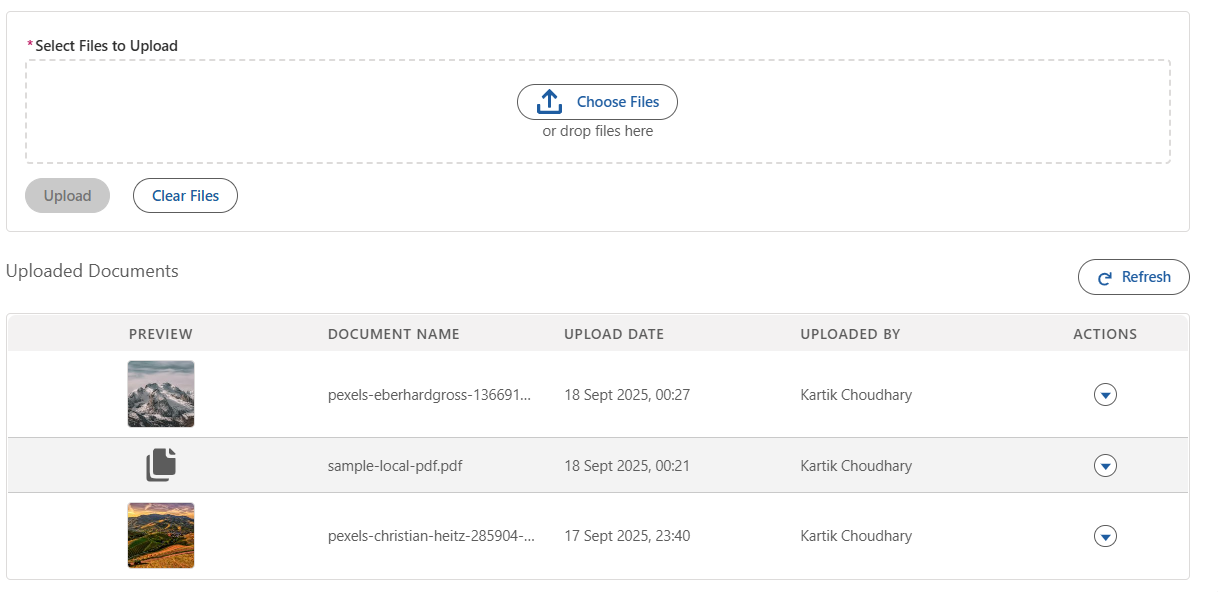
Easily manage files in Salesforce with the power of AWS S3. Our Generic File Management App works on any object record: upload, preview, and delete files directly from Salesforce while using S3's scalability, security, and cost-efficiency. Store large volumes outside Salesforce to save storage costs and keep seamless access inside your CRM.
Why move file storage to AWS S3?
Salesforce storage is expensive and fills up fast when you have lots of attachments and documents. Offloading files to AWS S3 gives you:
- Lower Salesforce storage costs – pay only for what you use in S3.
- Virtually unlimited capacity – no more storage-full alerts.
- Strong security and lifecycle rules – IAM, encryption, and retention in one place.
How it works
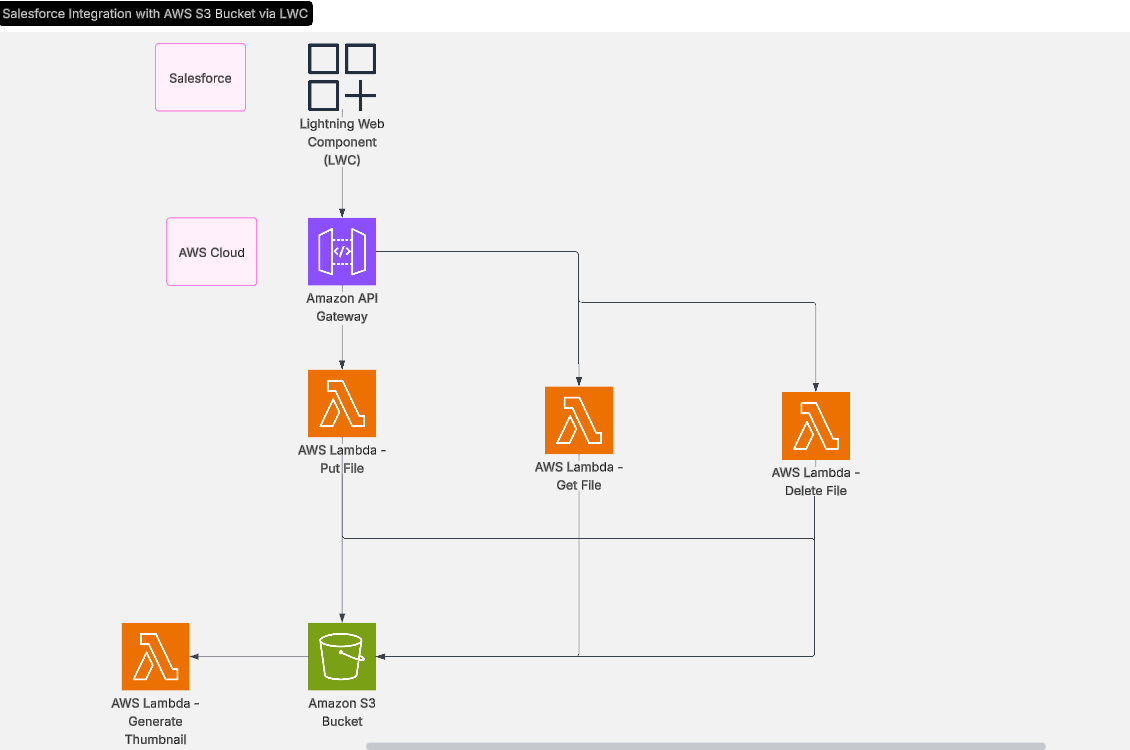
The solution is a Lightning Web Component (LWC) you can add to any record page:
- The user selects files to upload.
- An Apex controller returns a pre-signed S3 URL.
- Files are sent directly from the browser to S3, so Salesforce size limits do not apply.
- File metadata (name, URL, size, record link) is stored in a custom object for listing and preview.
The same component lists files for the record, shows in-app previews (images, PDFs, etc.), and supports secure delete so the file is removed from both S3 and Salesforce metadata.
Key features
- Direct upload to AWS S3 – files go from the UI to S3 using pre-signed URLs; no heavy lifting in Salesforce.
- In-app preview – view images, documents, and other supported types without leaving the record.
- Secure delete – one action removes the file from S3 and the metadata record in Salesforce.
- Works on any object – use the same component on Account, Opportunity, Custom Object, or any record page.
- Cost optimization – keep Salesforce storage for CRM data; use S3 for large or high-volume files.
Benefits for your business
- Scalability – handle large volumes of media and documents without hitting Salesforce limits.
- Security – use AWS IAM and S3 encryption to protect sensitive files.
- Performance – move big uploads and downloads off Salesforce and onto S3.
- Native Salesforce integration – everything stays in the CRM UI; users do not switch systems.
Getting started
- Deploy the LWC and Apex (or install the managed package).
- Configure an AWS S3 bucket and IAM permissions (including pre-signed URL generation).
- Add the component to the right record pages in Lightning App Builder.
- Optionally add custom logic (e.g. virus scanning, tagging, or approval).
Ready to implement? Contact CRMFinex for a free consultation and setup help. We can help you cut storage costs and streamline file handling in Salesforce.